问题背景
最近正在学习ai应用开发,记录一下阶段性的学习:使用Java调用LLM api返回原始JSON数据
获取LLM API
这里我使用的是阿里的千问模型的API,链接:阿里云百炼
在首页点击创建api key创建api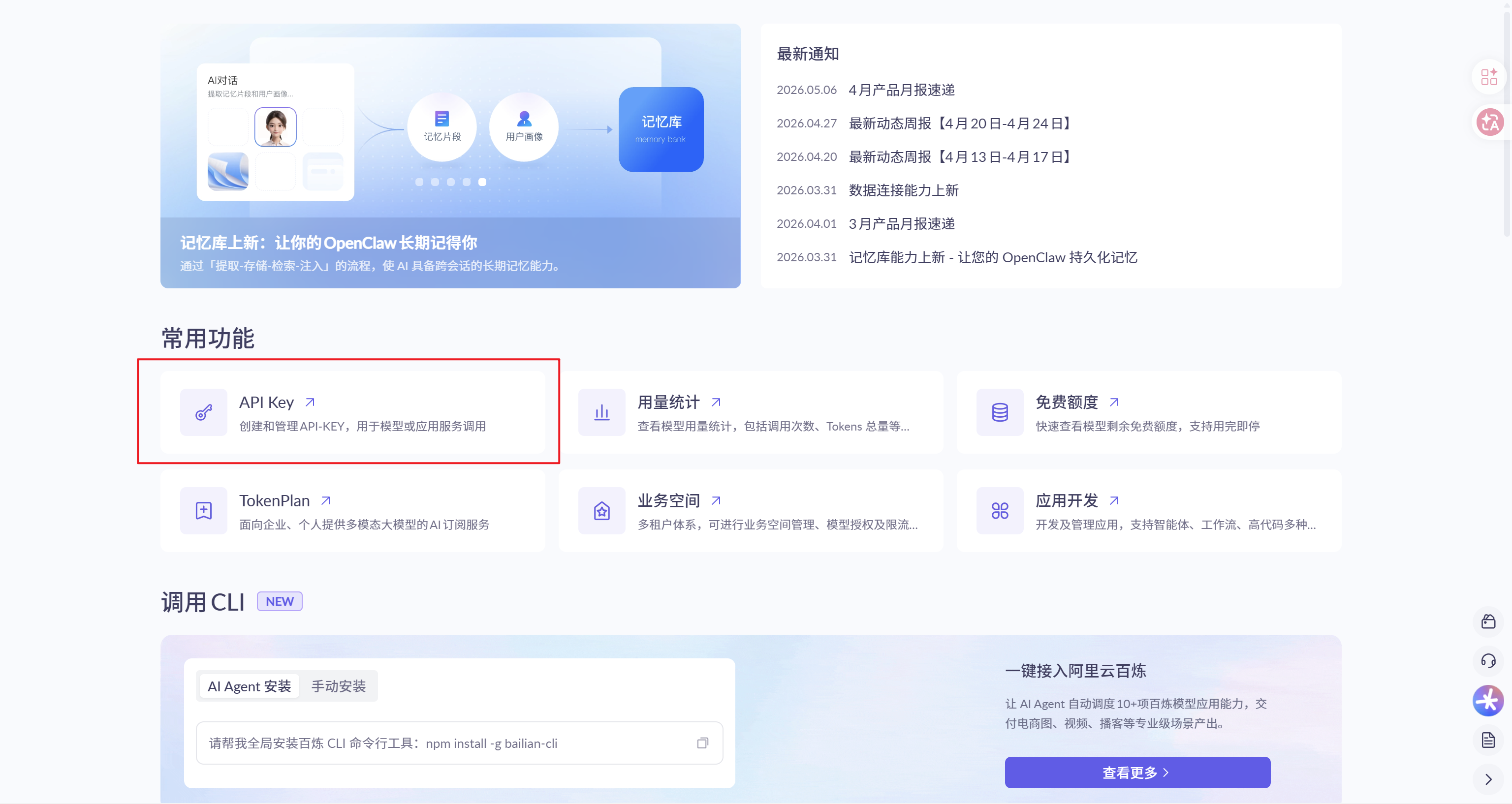
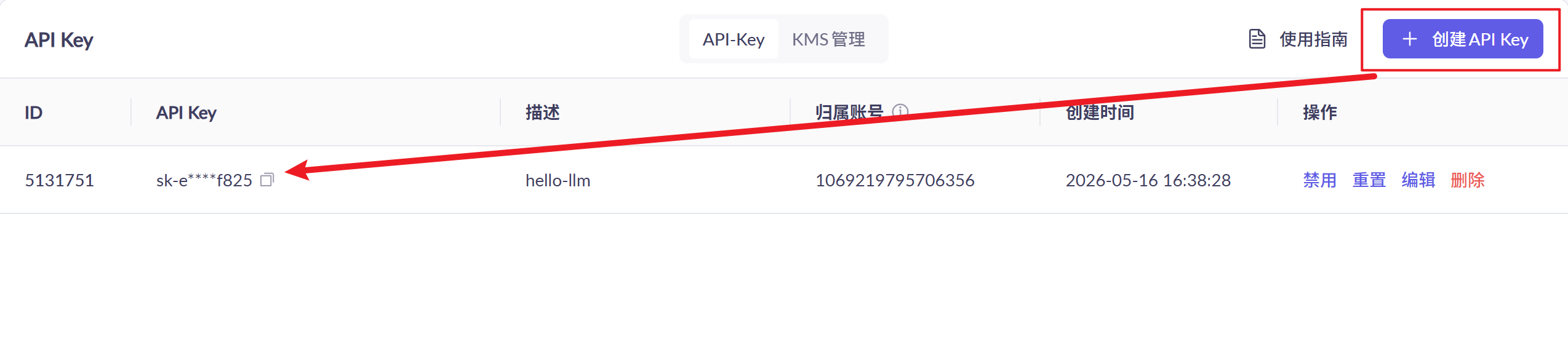
创建好api后,可以通过 cmd 命令 setx DASHSCOPE_API_KEY "你的 API Key" 将api加到环境变量中
Java中配置环境变量读取
application.yml:
dashscope:
  api-key: ${DASHSCOPE_API_KEY}
  base-url: https://dashscope.aliyuncs.com/compatible-mode/v1
  model: qwen-plus
base-url参考官方的即可: OpenAI兼容-Chat
读取application.yaml的api配置
创建一个DashscopeProperties类,用于读取读取application.yaml的api配置
DashscopeProperties:
@Component
@ConfigurationProperties(prefix = "dashscope")
@Data
public class DashscopeProperties {
    private String apiKey;
    private String baseUrl;
    private String model;
}
编写测试用例
概念铺垫
Qwen 的 OpenAI 兼容模式 —— 请求/响应长什么样?
由下图我们可以知道:
请求格式(POST)
URL:https://dashscope.aliyuncs.com/compatible-mode/v1/chat/completions
Header:
Authorization: Bearer sk-xxxxxxxxxxxx
Content-Type: application/json
Body(JSON):
{
  "model": "qwen-plus",
  "messages": [
    { "role": "system", "content": "你是一个 Java 后端专家,回答要简洁。" },
    { "role": "user",   "content": "什么是 Spring IoC?" }
  ],
  "temperature": 0.7
}
请求体有非常多参数,具体可以到阿里云百炼官方查阅,链接:https://bailian.console.aliyun.com/cn-beijing?spm=5176.29619931.J_C-NDPSQ8SFKWB4aef8i6I.1.6e1710d7D9r1W5&tab=api#/api/?type=model&url=3016807
代码实现
Service:
@Service
public class LlmService {
    private final DashscopeProperties props;
    private final OkHttpClient httpClient;
    private final ObjectMapper objetMapper;

    public LlmService(DashscopeProperties props){
        this.props = props;
        this.httpClient = new OkHttpClient();
        this.objectMapper = new ObjectMapper();
    }

    public String chatRaw(String userQuestion) throws IOException{
        //编写system massage
        Map<String,Object> systemMsg = map.of(
            "role","system",
            "content","你是一个 Java 后端专家,回答要简洁。"
        );

        //编写user massage
        Map<String,Object> userMsg = map.of(
            "role","user",
            "content",userQuestion
        );

        Map<String, Object> requestBody = Map.of(
                "model", props.getModel(),
                "messages", List.of(systemMsg, userMsg),
                "temperature", 0.7
        );
    }

    //将请求体Map转成JSON格式
    String jsonBody = objectMapper.writeValueAsString(requestBody);

    //创建请求体
    RequestBody body = RequestBody.create(
                jsonBody,
                MediaType.parse("application/json; charset=utf-8")
                );

    //创建请求
    Request request = new Request.Builder()
                .url(props.getBaseUrl() + "/chat/completions")
                .post(body)
                .addHeader("Authorization", "Bearer " + props.getApiKey())  //将api携带到请求头
                .addHeader("Content-Type", "application/json")
                .build();

    //响应体获取
        try (Response response = httpClient.newCall(request).execute()) {
            String responseBody = response.body() != null ? response.body().string() : "";

            if (!response.isSuccessful()) {
                throw new RuntimeException(
                        "LLM API call failed. HTTP " + response.code() + ", body: " + responseBody
                );
            }

            return responseBody;
        }
}
Controller调用:
@RestController
public class ChatController {

    private final LlmService llmService;

    public ChatController(LlmService llmService) {
        this.llmService = llmService;
    }

    @GetMapping("/test")
    public String test() throws IOException {
        return llmService.chatRaw("你好,请用一句话介绍你自己");
    }

}
运行返回
{
  "model": "qwen-plus",
  "id": "chatcmpl-96d96df0-dd38-954a-8823-660f99d3a57a",
  "choices": [
    {
      "message": {
        "content": "我是专注 Java 后端开发的专家,熟悉 Spring 生态、高并发、分布式系统及性能优化。",
        "role": "assistant"
      },
      "index": 0,
      "finish_reason": "stop"
    }
  ],
  "created": 1778924298,
  "object": "chat.completion",
  "usage": {
    "total_tokens": 55,
    "completion_tokens": 24,
    "prompt_tokens": 31,
    "prompt_tokens_details": {
      "cached_tokens": 0
    }
  }
}
字段分析:
| 字段 | 含义 |
|---|---|
model | 本次调用使用的模型,这里是 qwen-plus |
id | 本次请求的唯一 ID,方便排查日志、定位问题 |
choices | 模型返回的候选答案数组 |
created | 响应创建时间,是 Unix 时间戳,单位是秒 |
object | 响应对象类型,这里表示一次聊天补全结果 |
usage | token 使用情况,也就是本次调用消耗了多少 token |
choices是什么?
choices 是一个数组,因为有些 API 可以一次生成多个回答。finish_reason是什么?
表示模型为什么停止输出。
| 值 | 含义 |
|---|---|
stop | 正常结束 |
length | 达到最大 token 限制,被截断 |
tool_calls | 模型想调用工具 |
content_filter | 内容被安全策略拦截 |
usage是什么?
| 字段 | 含义 |
|---|---|
prompt_tokens | 你发送给模型的输入消耗了多少 token |
completion_tokens | 模型回复消耗了多少 token |
total_tokens | 输入 + 输出总 token 数 |
cached_tokens | 命中的缓存 token 数,一般和上下文缓存有关 |
created是什么?
这是 Unix 时间戳,单位是秒。
message是什么?
| 字段 | 含义 |
|---|---|
role | 消息角色,这里是 assistant,表示 AI 回复 |
content | 对应'role'的内容,这里是AI 真正回复的文本内容 |
massage 有 'system / user / assistant message'